

How to Create a Video Section
A Video Section features your product or service video with accompanying text and call-to-action, perfect for product demos and explanations.
What you'll create:
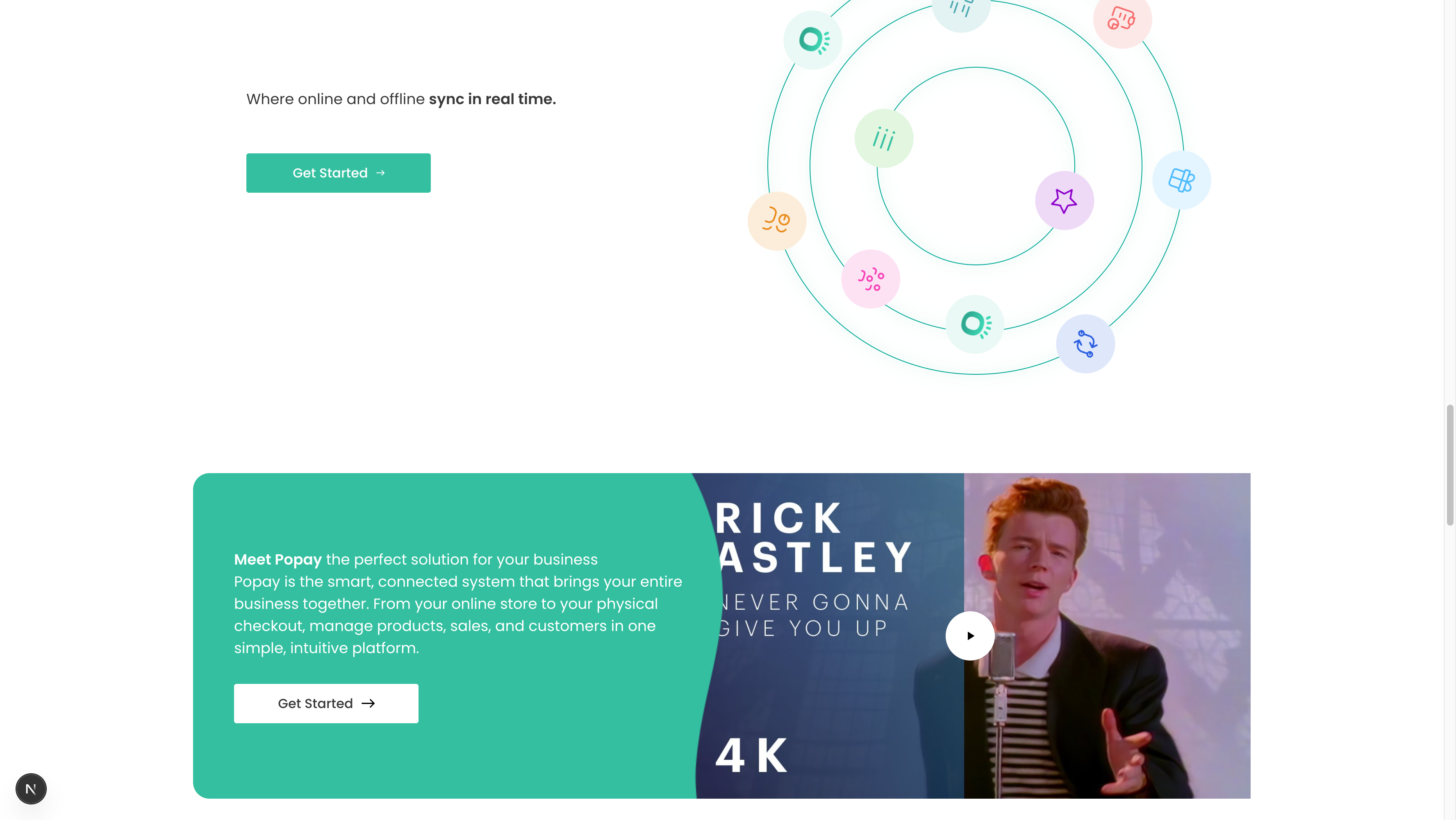
The finished Video Section with video player
Overview
Video Sections are highly engaging and can significantly increase conversion rates. Use them to demonstrate your product, share customer stories, or explain complex concepts.
Key features:
- Video player with custom thumbnail
- Heading and description text
- Call-to-action button
- Side-by-side layout (text + video)
- Video modal/lightbox support
Quick Setup
- Add Section: Pages → Your Page → Sections → Add "Video Section"
- Upload Video: Add video URL or upload file
- Set Thumbnail: Upload custom video poster image
- Add Content: Heading, description, and CTA
- Configure Layout: Choose text position (left/right)
Video Configuration
Video Source
Upload or link to your video:
- Upload: Direct .mp4 file (recommended under 50MB)
- YouTube: Paste YouTube URL
- Vimeo: Paste Vimeo URL
Video Thumbnail (Poster)
- Upload custom image shown before playback
- Size: 1280x720px (16:9 ratio)
- Format: JPG or PNG
- Should represent video content
Video Settings
- Autoplay: Usually OFF for video sections
- Controls: ON (let users control playback)
- Loop: OFF for demo videos
Content Setup
Heading
Examples:
- "Meet Popay, the perfect solution"
- "See how it works in action"
- "Watch our product demo"
Description
2-3 sentences explaining what the video shows:
- What will they learn?
- Why should they watch?
- What's the outcome?
CTA Button
- Text: "Get Started", "Try it Free", "Learn More"
- Link: /signup, /demo, /features
Layout Options
Text Left, Video Right (Default)
- Best for most use cases
- Text loads first (better for SEO)
- Natural reading flow
Text Right, Video Left
- Visual emphasis on video
- Use when video is hero content
- Good for powerful demos
Video Best Practices
✅ DO:
- Keep videos under 2 minutes
- Add captions/subtitles
- Use high-quality production
- Show product benefits early
- Include clear CTA at end
- Optimize file size
❌ DON'T:
- Use autoplay with sound
- Upload huge video files
- Skip the thumbnail image
- Make videos too long (over 3 min)
- Use low-quality videos
Video Requirements
Technical Specs
- Format: MP4 (H.264 codec)
- Resolution: 1920x1080px (1080p) or 1280x720px (720p)
- File Size: Under 50MB (compress if larger)
- Frame Rate: 30fps or 60fps
- Aspect Ratio: 16:9
Content Guidelines
- First 5 seconds are crucial
- Show product/benefit immediately
- Use professional audio
- Add subtitles for accessibility
- End with clear call-to-action
Example
Heading: "Meet Popay, the perfect solution for your business"
Description: "Popay brings your entire business together. From your online store to your physical checkout, manage everything in one simple platform."

Video:
- URL: https://youtu.be/dQw4w9WgXcQ
- Thumbnail: popay-demo-thumbnail.jpg
- Autoplay: OFF
- Controls: ON

CTA: "Get Started" → /signup

Layout: Text Left, Video Right
Troubleshooting
Video won't play
- Check video URL is accessible
- Verify video format (MP4 recommended)
- Test in different browsers
- Check file size (under 50MB)
Thumbnail not showing
- Verify image is uploaded
- Check image format (JPG/PNG)
- Ensure proper aspect ratio (16:9)
- Re-upload if corrupted
Video loads slowly
- Compress video file
- Use video hosting (YouTube/Vimeo)
- Enable lazy loading
- Optimize thumbnail image
Schema Reference
File: sanity/schemas/sections/videoSection.ts
Fields:
heading(required): Portable Textdescription: Portable TextvideoUrl(required): String or URLthumbnailImage: ImagectaButton: Objectlayout: String (text-left, text-right)autoplay: Booleancontrols: Boolean
Related: Hero Section also supports background videos.